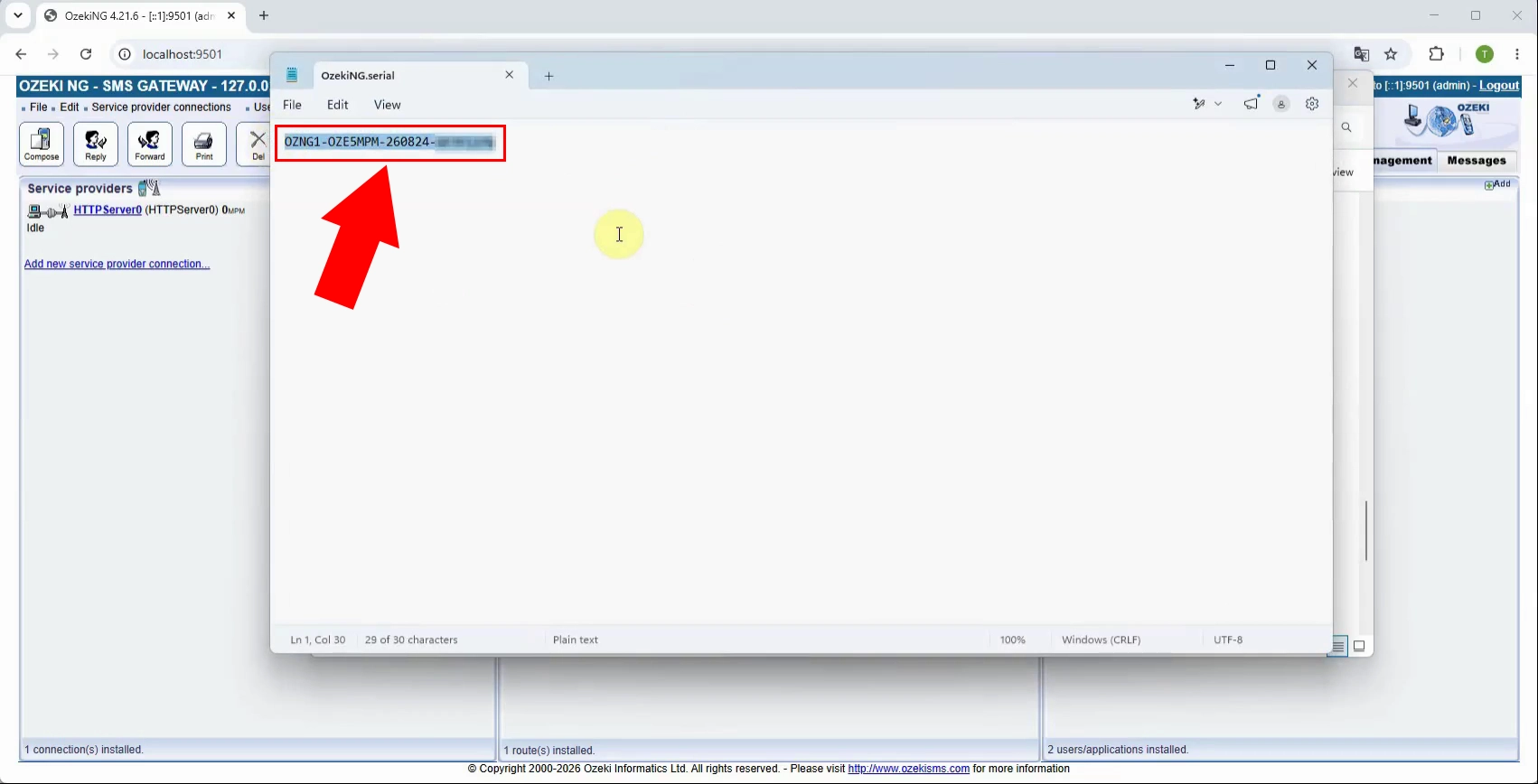
How to find the Ozeki Serial Number
This guide explains how to find the serial number of your installed Ozeki NG SMS Gateway. The serial number identifies your licensed installation and is required for product activation, license renewal, troubleshooting, or contacting Ozeki support. You can locate it either through the Registration menu in the Ozeki NG SMS Gateway management interface or by opening the serial file stored in the gateway installation folder.
To locate the Ozeki serial number, first open the Ozeki NG SMS Gateway management interface. In the main menu, open the Registration menu. This section contains the product registration and license information, where the currently installed serial number can be viewed and verified.
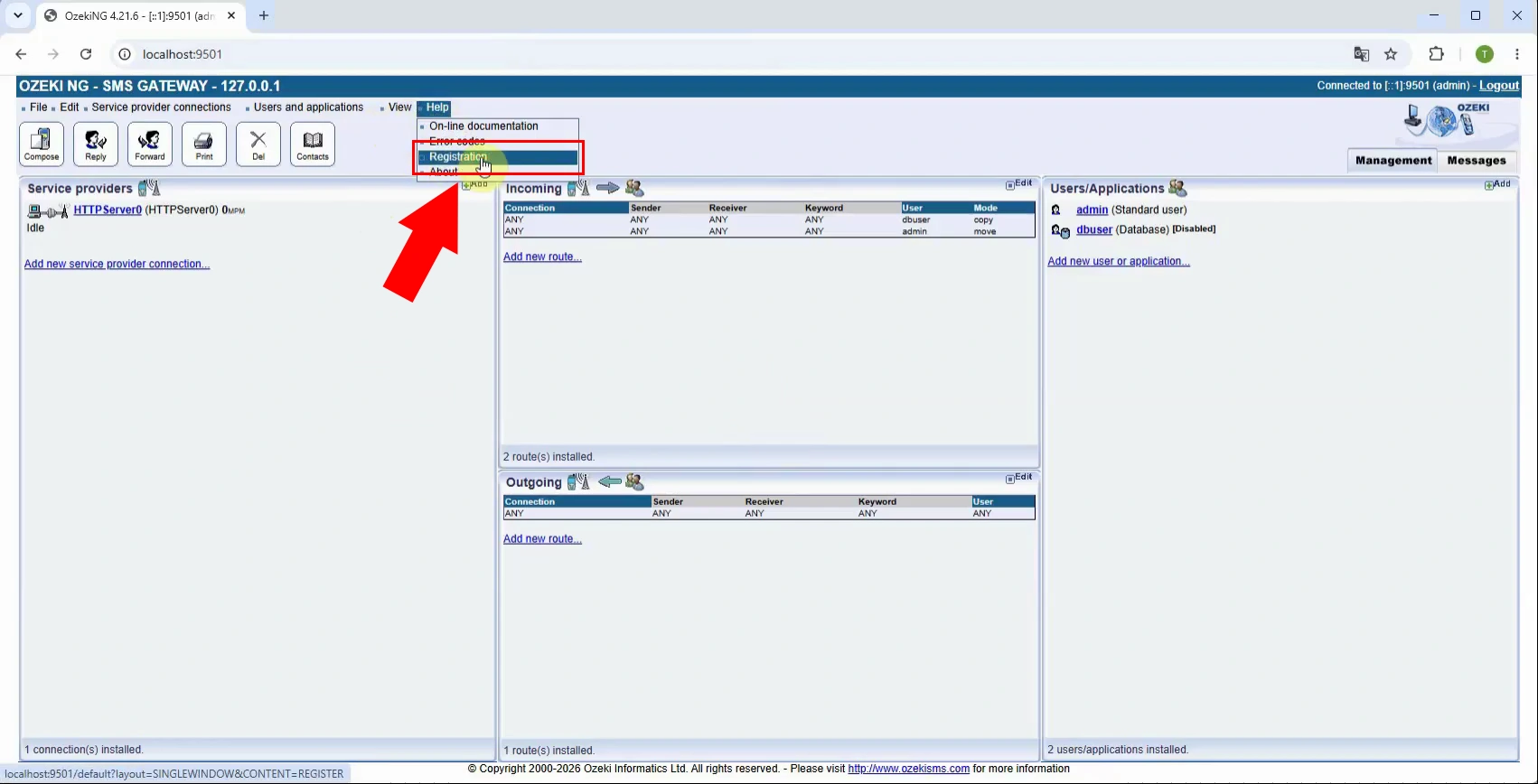
After opening the Registration menu, select the registration or product information option. The displayed form shows the installed Ozeki NG SMS Gateway serial number. Copy or note this number carefully, because it is required for product activation, license renewal, or support requests.
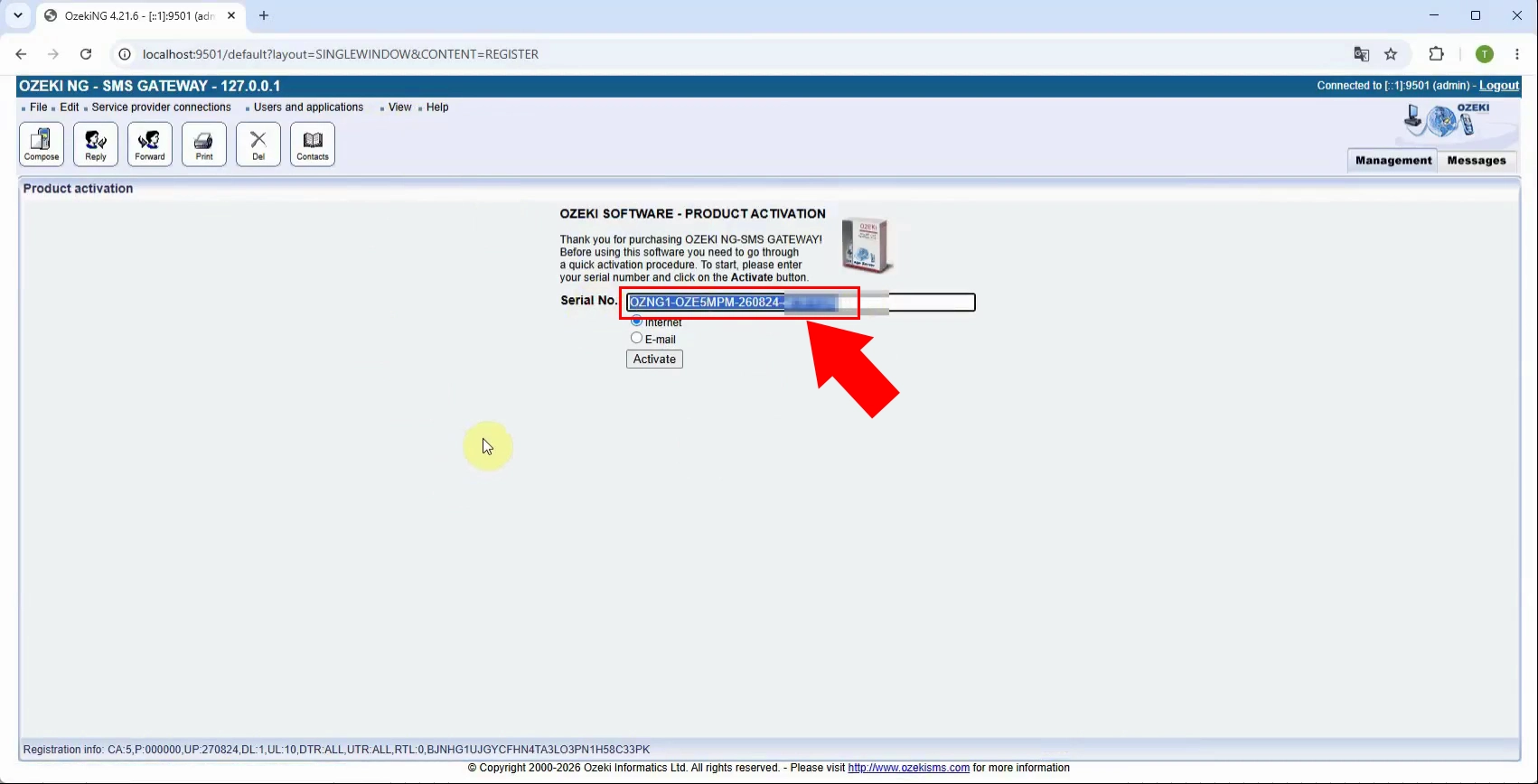
Alternative method
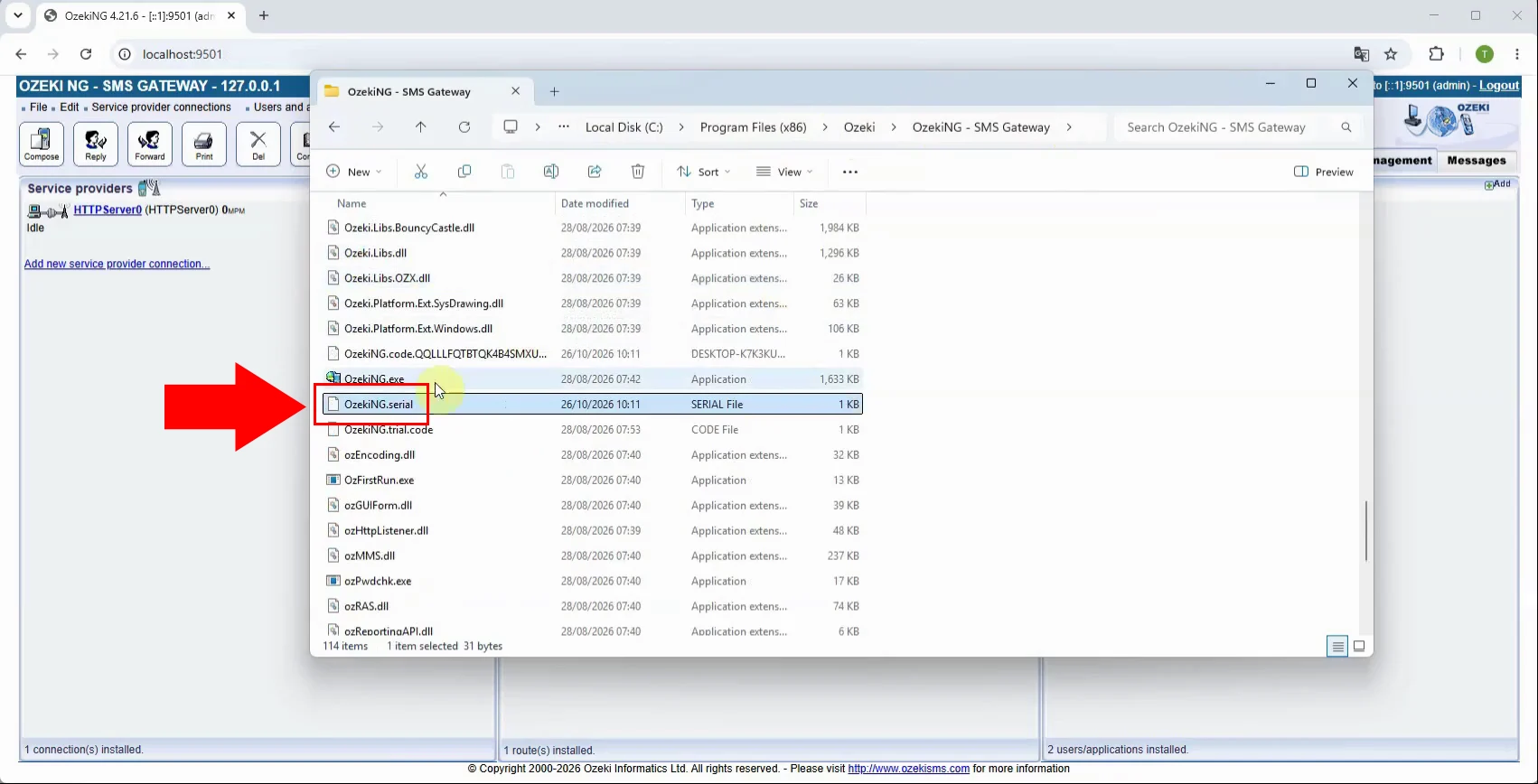
As an alternative method, open the folder where Ozeki NG SMS Gateway is installed on the server. This is usually located under the Ozeki installation directory. Browse the installation folder to find the license-related files that contain the serial number assigned to the installed gateway.
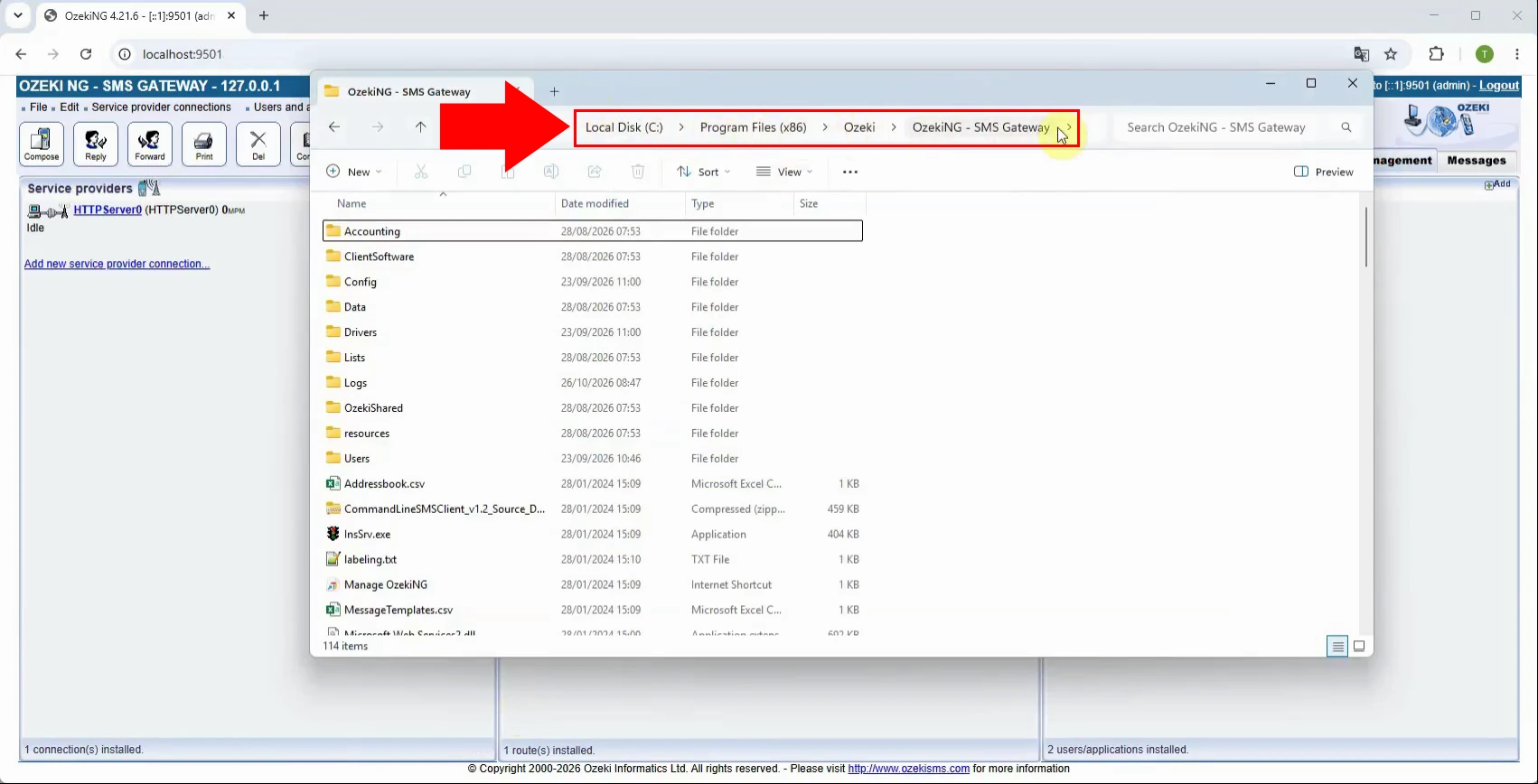
Inside the Ozeki SMS Gateway installation folder, locate and open the serial file. This file stores the license details of the installed product. Open it using a plain-text editor, such as Notepad, so the serial number can be read directly without modifying any configuration or license data.
When the serial file is open, find the line containing the serial number. Verify that it matches the license purchased for the installation. Copy the serial number exactly, including any required formatting, and use it for activation, license recovery, or contacting Ozeki support.